girl who code • mostly iOS 👩🏼💻
Scripting the iPhone Duo simulator: how Device Hub folds, rotates and touches it
07 Oct 2026
Xcode 27.1 ships an iPhone Duo simulator, and Device Hub (the app that replaced Simulator.app) can fold it, rotate it and tap either of its two screens. By hand. The moment I tried to do any of that from a script, everything fell apart.
More and more of us, iOS developers, let AI agents build our apps, run them on a simulator and check that a layout looks right before a PR goes out. With the Duo, the screen that matters most is the big inner one, and that's exactly the one nothing could reach:
- Folding.
simctlhas no hinge or posture command. Neither doesdevicectl. - Rotating.
devicectl device orientation setreports success and changes nothing. So doesXCUIDevice.shared.orientationin a UI test. - Tapping. AXe, XcodeBuildMCP and RocketSim all reported success on the unfolded inner screen. Nothing happened.
- Screenshots.
simctl io screenshotcaptures the inner screen even when the phone is folded, so you get a black image.
The silent part is what hurts. Every one of those calls exits with 0. An agent happily carries on, takes a screenshot of the wrong screen and tells you the layout looks fine.
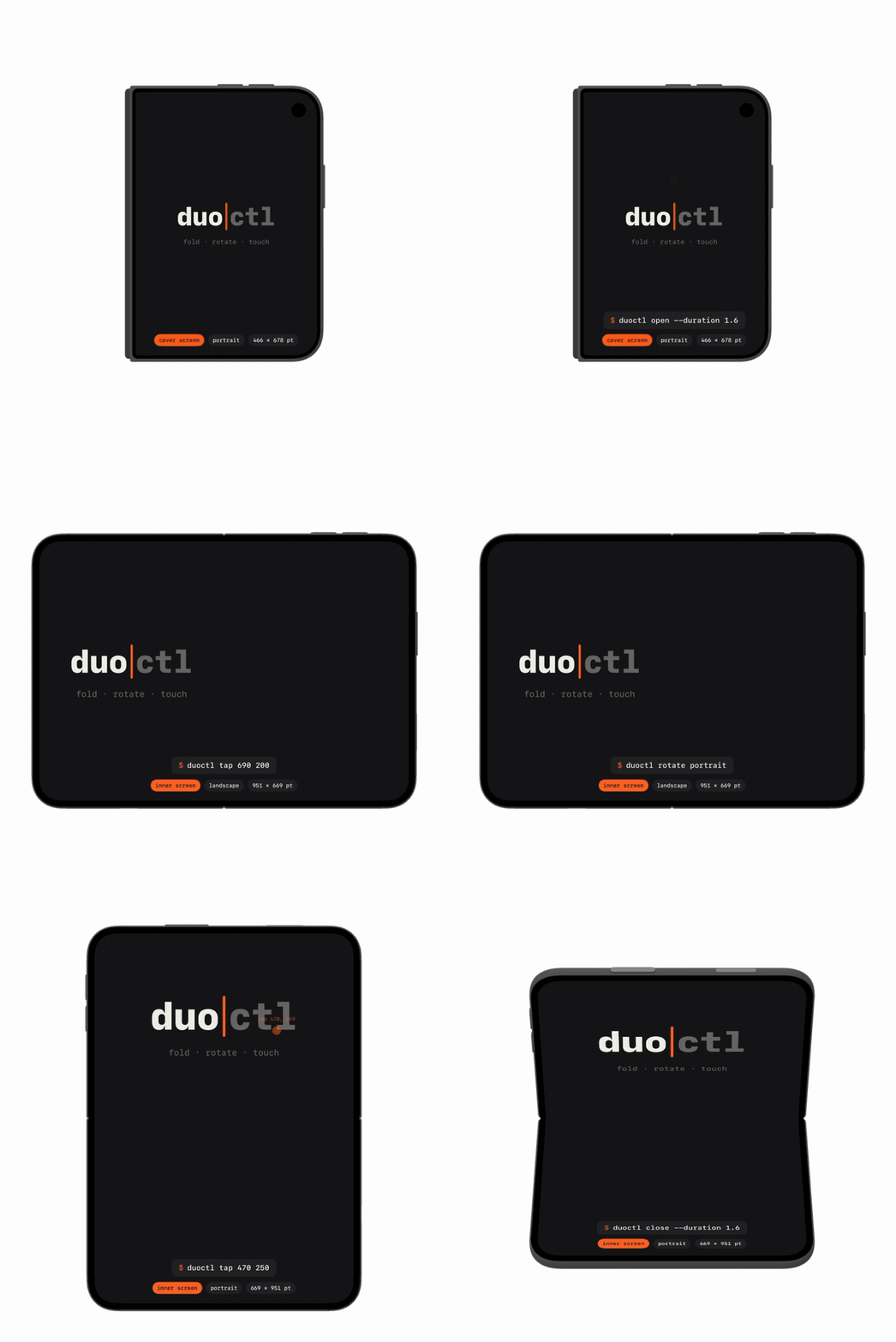
Watch what Device Hub does
If Device Hub can do it, the simulator has a way to receive it. So the question was: what does Device Hub send?
The trick is unglamorous. Stream the logs on both sides of the wall: log stream on the Mac for Device Hub and CoreDevice, and xcrun simctl spawn <udid> log stream inside the simulator. Then press the button in Device Hub and read what happens.
Folding: a hidden slider
Folding had already been figured out by Artem Novichkov's hinge. Device Hub has a hidden hinge slider (hold Option), and it sends a vendor-defined HID event (usage page 0xFF61, usage 0x5B) with a small serialized dictionary as its payload:
provider = com.apple.Virtualization
source   = hinge-slider-control
type     = range
value    = 0…180
A tiny helper posts that event from inside the simulator (xcrun simctl spawn), locationd turns it into a hinge angle, and the Duo folds. Device Hub even plays the folding animation.
Rotating: the same event, a different payload
Rotation was where the logs paid off. When I pressed Rotate in Device Hub, the simulator's HID daemon logged "Handling IndigoVendorDefinedEvent" on the same channel as the hinge, about 300 ms before the inner screen changed orientation.
The payload keys were sitting right next to the hinge's, both in Device Hub's iPhone Duo plugin and inside locationd:
provider = com.apple.Virtualization
source   = orientation-picker-control
type     = enum
value    = portrait | pud | landscape-left
           | landscape-right | faceup | facedown
Post that and the Duo rotates. One surprise: the inner screen sits a quarter turn from the cover, so on the inner screen landscape-left is what gives you a portrait interface. Always read the result back instead of trusting the name.
Touches: one touchscreen per screen
Taps were the interesting part. I assumed they were being dropped, the way Xcode 27 drops a tap that arrives too early (AXe #71). They weren't dropped. They were delivered to the wrong screen.
Inside the simulator, every display gets its own touchscreen, each tagged with that display's ID: mainTouchscreen(0x101) for the cover and touchscreen(0x103) for the inner screen. A tap from AXe arrived like this:
Handling IndigoDigitizerEvent
Sending event to service mainTouchscreen(0x101)
That's the cover screen, switched off while the phone is open. When I clicked the inner screen in Device Hub instead, the event went to 0x103.
So the fix had to change where the touch goes, not when. Inside the simulator, I copy the inner screen's touchscreen as a virtual HID device (with the private HID framework's HIDVirtualEventService), keep its display ID, and send finger events through the copy. The first time, Safari's "Not Now" button disappeared on the inner screen. That was a good moment.
It works on the cover too, in every orientation, for taps, long presses and swipes. And because the helper waits until the system confirms the touchscreen is ready, it also sidesteps the Xcode 27 timing bug on ordinary simulators.
I reported the inner-screen routing to AXe as #74, so hopefully the tools we already use can pick it up.
duoctl
I wrapped everything into duoctl, a small command-line tool and agent skill:
duoctl close                   # fold shut
duoctl open --duration 1.5     # unfold, animated
duoctl rotate portrait
duoctl tap --label "Continue"  # inner screen too
duoctl swipe 330 800 330 300
duoctl screenshot shot.png     # whichever screen shows
duoctl state                   # hinge, screen, size
duoctl state and every fold or rotation print JSON with the hinge angle, the active screen, the orientation and the size in points. An agent can check the result instead of hoping.
You can install it as a skill for your agent with skills.sh:
npx skills add skarol/duoctl
or with openskills:
npx openskills install skarol/duoctl
If you'd rather run duoctl yourself, in the terminal or on CI, install it with Homebrew:
brew install skarol/tap/duoctl
It's MIT licensed, and it's Python with a small Objective-C helper, so there's nothing to build.
A fair warning
All of this sits on private, undocumented simulator interfaces, checked with Xcode 27.1 and the iOS 27.1 runtime. A future Xcode may change them. duoctl reads the state back after every fold and rotation, so if that happens you'll get an error, not another silent success.
Have you started testing on the iPhone Duo yet? What's been the hardest part for you? Let me know, and if duoctl breaks on your setup, open an issue.